Home › Albums › Wedding Album Cover Design
Wedding album cover design
The Wedding Album on InviteFlix starts with a cover spread: a solid colour panel with the couple's initials in a circle monogram and the date on one side, and a full-bleed couple photo with the names in script on the other. Change the initials, names, date and colour scheme, add your photo, and download it as a layered PSD and 300 DPI JPG.
Design your albumSee the designs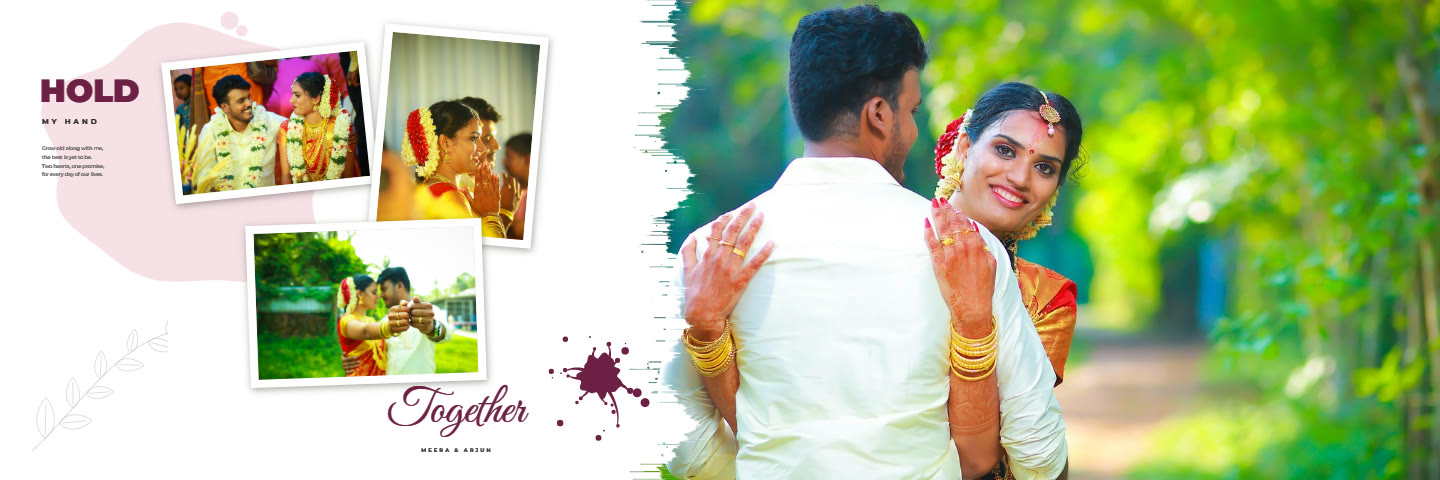
Printing the cover
Album labs print covers in different ways (photo cover, leather with a window, acrylic). Send the cover spread as its own file and ask the lab for their cover size and bleed.
Album designs for this
How it works
- Open an album design and drop your photos into the frames.
- Move and zoom each photo; edit looks, skin and background if you like.
- Type the names and words, and pick a colour scheme.
- Download layered PSD files and 300 DPI JPGs for your print lab.
Questions
Can I change the monogram?
Yes. The initials, names, date and lines are editable text.
Can I use a different colour?
Yes. The colour scheme recolours the cover panel and the whole album.